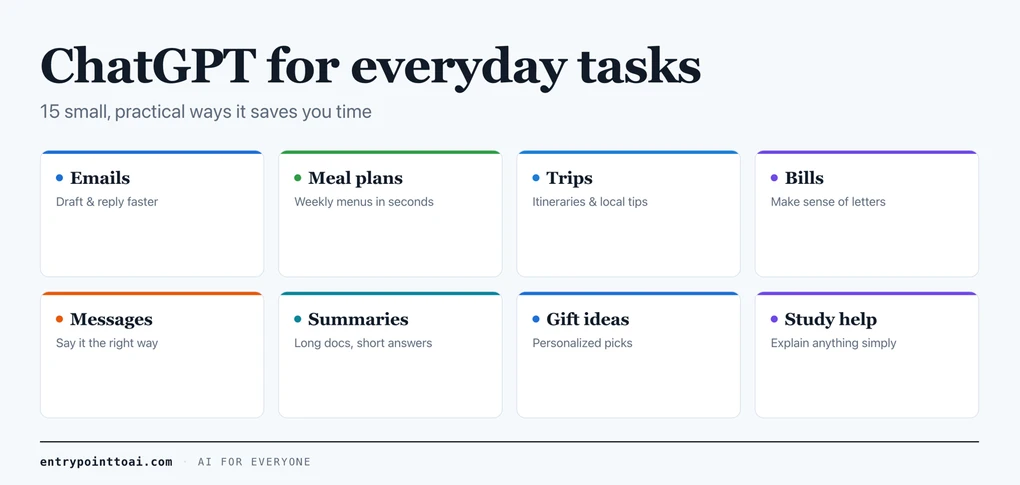
ChatGPT for everyday tasks: 15 practical examples
The best way to understand ChatGPT isn’t a definition — it’s seeing what real people use it for. (New to it? Start with our guide on what ChatGPT is and how to use it.) When OpenAI studied how people actually use it, about three in four conversations came down to the same plain stuff: getting practical advice, looking something up, and writing. None of it fancy. Below are 15 real examples you can copy and adapt today, plus the one simple habit that makes all of them work better.
The one habit that gets better answers
ChatGPT is only as good as what you ask it. There’s no magic phrase. The trick is giving it three things people usually skip: a little context, who the answer is for, and what you want back — an email, five bullet points, a plain list.
See the difference:
| A vague ask | A clearer ask |
|---|---|
| “Write an email to my landlord.” | “Write a short, polite email to my landlord about a leaking tap in the bathroom. Friendly, but make clear I’d like it fixed this week.” |
| “Give me a workout.” | “Give me a 20-minute home workout, no equipment, easy on the knees, that I can do three mornings a week.” |
The clearer version isn’t longer just to be longer. Each detail removes a guess ChatGPT would otherwise make for you.
And you rarely get it perfect on the first try. You’re not meant to. If the answer isn’t right, say so plainly: “make it shorter,” “less formal,” “add a line about the deadline.” Treat it as a back-and-forth, not a vending machine. That single shift helps more than any clever wording.
Writing and replying
1. Emails you’re putting off. “Write a polite email asking my internet provider to cancel my contract, mention I’m moving abroad.” You get a solid draft in seconds.
2. Tricky replies. Paste a message you received and ask: “Help me reply to this kindly but firmly.”
3. Messages for hard moments. “Help me write a short, warm condolence message to a coworker who lost a parent.” It removes the blank-page panic.
Planning your week
4. Meal plans. “Give me a simple 5-dinner plan for two people, no pork, with a shopping list.” Don’t like Wednesday? Just say “swap that one for something quicker and update the list.”
5. Trips. “Plan a relaxed 3-day trip to Lisbon for a couple who like food and walking, not museums.”
6. To-do triage. “Here’s everything on my plate this week: [list]. Help me put it in a sensible order.”
Understanding confusing things
7. Bills and official letters. Paste the confusing part: “Explain what this letter is actually asking me to do, in plain English.” Still unsure? Paste the reply you’re thinking of sending and ask whether it covers what they wanted.
8. Jargon. “Explain what ‘APR’ means like I’m a complete beginner, with one example.”
9. Instructions. “Summarize these setup instructions into 5 simple steps.” For anything longer than a page, our summary prompt builder adds the line that keeps ChatGPT inside the text you pasted.
Getting unstuck and improving
10. Brainstorming. “Give me 10 birthday gift ideas for my dad who likes fishing and history, under $50.”
11. Improving your own writing. Paste your draft: “Make this clearer and a bit warmer, keep it about the same length.”
12. Prepping for a conversation. “I need to ask my manager for a raise. Help me plan what to say and anticipate pushback.” Then push it further: “Now play my manager and push back, so I can practice.”
Learning and making decisions
13. Learn something step by step. ChatGPT is at its best as a patient tutor. “Teach me the basics of photography in plain English, then ask me three questions to check I understood.” Getting it to quiz you back is what turns reading into actually remembering.
14. Understand or write in another language. “Translate this message into natural, polite Spanish, not word-for-word.” Or point it at something you can’t read: “What does this menu item mean in English?” It’s a pocket translator that explains rather than just swapping words.
15. Talk through a decision. Stuck between two options? “I’m choosing between two laptops for everyday use. Here’s what matters to me: [list]. Lay out the trade-offs and what I should double-check before I buy.” You still make the call — it just lays the choice out clearly.
Two habits to use it safely
Everything above works on the free plan, if you’re wondering whether ChatGPT is free — it’s a genuinely useful daily helper. Just remember what it’s doing underneath: it writes what’s likely, not what’s verified, and it doesn’t really know today’s prices, the news, or your personal situation. So keep two habits:
- Check anything that matters. It can sound certain and be wrong. For facts you’ll repeat — and anything medical, legal, or financial — confirm before you rely on it.
- Don’t paste sensitive data. No passwords, bank details, or private personal information. Treat it like a public service, not a private vault.
The bottom line
ChatGPT earns its place by handling the small stuff: the email you’re avoiding, the meal plan, the confusing letter, the message you don’t know how to start. Pick one task you’ve been putting off and try it right now — that’s the fastest way to make it part of your routine.
Keep going: browse more plain-English guides in Using ChatGPT.
Frequently asked questions
What can I use ChatGPT for in everyday life?
Everyday uses include writing and replying to emails, planning meals and trips, summarizing long documents, explaining confusing bills or letters, drafting messages for tough conversations, brainstorming gift ideas, learning a new topic with it acting as a tutor, translating messages, and talking through a decision. It is most useful for first drafts, learning, and getting unstuck.
Is ChatGPT useful for non-work tasks?
Very. People use it for meal plans, packing lists, simplifying instructions, writing birthday messages, planning workouts, and understanding official letters. Anything that involves writing, planning, or explaining is a good fit.
What should I not use ChatGPT for?
Avoid relying on it for important facts without checking, and never paste sensitive data like passwords, bank details, or private personal information. For medical, legal, or financial decisions, use it to understand the basics, then confirm with a qualified professional.
Can ChatGPT help with things I find stressful?
Often, yes. It is good at drafting messages you are dreading, breaking a big task into steps, or rephrasing something so it sounds calmer and clearer. It removes the "blank page" problem so you have something to react to.
How do I get better answers from ChatGPT?
Give it three things most people skip: a little context, who the answer is for, and what you want back (an email, a short list, five bullets). If the first answer is not quite right, tell it what to change — "shorter," "less formal," "add a line about the deadline." Treating it as a back-and-forth rather than a one-shot request makes the biggest difference.