What is Google Gemini? A plain-English guide
Google Gemini is Google’s AI chatbot — a tool you can ask questions in plain language and get written answers back. It can explain ideas, draft emails, summarize long text, help with code, and work with images and voice. Think of it as Google’s version of ChatGPT. If you’ve heard of “Bard,” that’s the same tool under its old name.
What is Google Gemini?
Gemini is an AI assistant built by Google. You ask it something, by typing or speaking, and it replies in everyday language, the way a knowledgeable person might.
Under the hood, Gemini runs on a large language model: software trained on a huge amount of text that learned to predict and produce natural writing. (If that idea is new to you, we explain it in What is a large language model?.) That’s the same kind of technology behind ChatGPT, so the two feel similar to use.
Gemini comes in a few different versions. There are lighter, faster ones for quick questions and bigger, more capable ones for harder tasks, and Google updates them often. You don’t have to track the version numbers; the app picks one for you, and that’s usually fine.
You can reach Gemini at gemini.google.com in a browser, through the Gemini app on phones, and increasingly built right into other Google products you may already use.
What can Gemini do?
A lot of the everyday things people use AI chatbots for:
- Answer questions and explain topics in simple terms.
- Write and edit — emails, messages, summaries, first drafts.
- Summarize long articles, documents, or notes.
- Work with images. You can show it a picture and ask what’s in it, or describe a picture in words and have Gemini create one for you.
- Make sense of files. Hand it a long PDF, a spreadsheet, or a set of notes and ask for the gist or the key numbers.
- Talk out loud. Gemini has a voice mode, so you can have a spoken back-and-forth instead of typing.
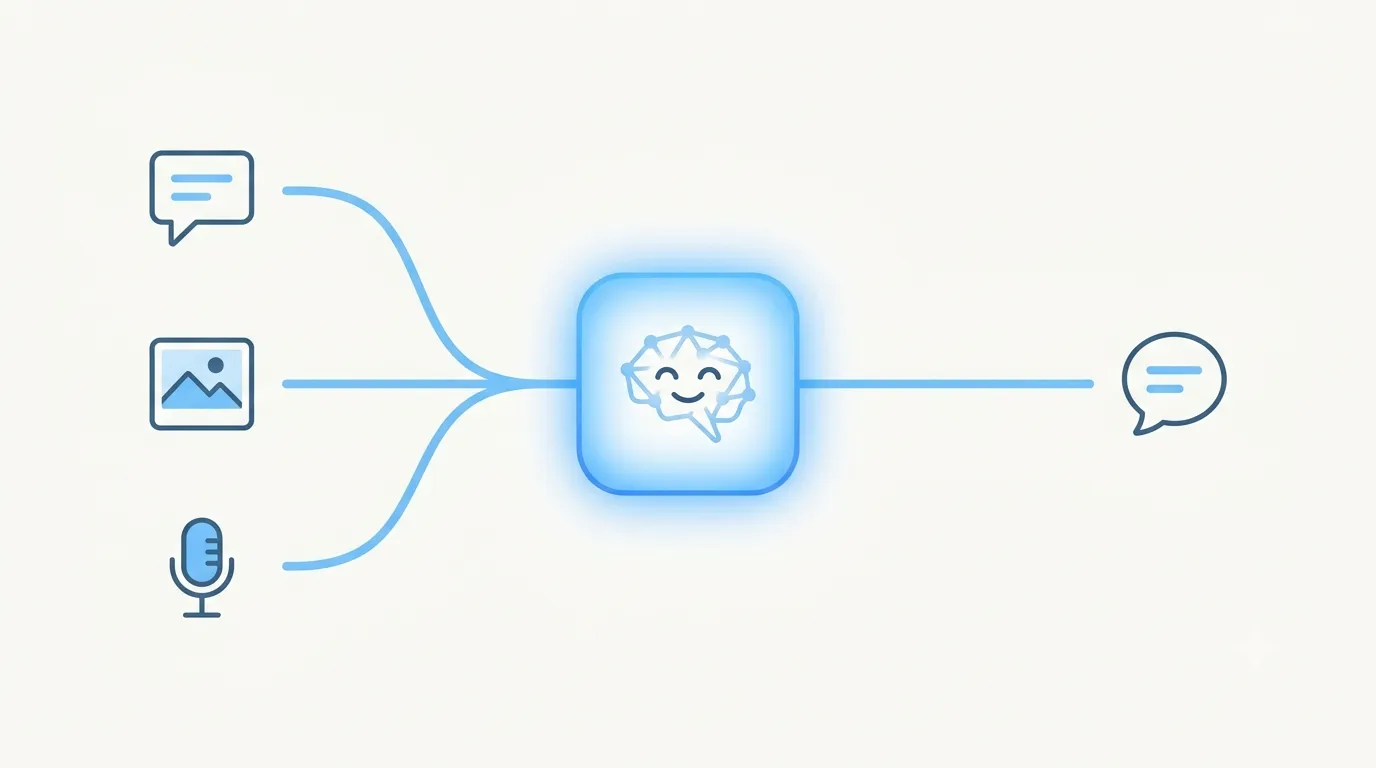
That last point matters. Gemini is multimodal, which is a fancy word for one simple idea: it handles more than just text. It can take in words, images, and audio together, rather than reading typed text alone.
What do people actually use Gemini for?
Past the demos, here’s the kind of everyday help people get from it:
- Turn a photo into an answer. Point your phone at a houseplant, a product label, or a form you don’t understand, and ask what it is or what to do next.
- Plan a trip. Give it a city, a few days, and a rough budget, and it’ll sketch a day-by-day plan with places to eat and a sensible route.
- Sort out dinner. Type the random ingredients you’ve got — or snap a photo of the fridge — and ask for a recipe that uses them.
- Practice a language out loud. With Gemini Live, a mode where you speak to Gemini instead of typing, you can hold a real spoken conversation and have it nudge your mistakes as you go.
- Dig through your own inbox. If you connect it to your Google account, you can ask it to find the flight time buried in your Gmail or boil a long email thread down to the main points.
None of this replaces your own judgment, but it can save you a surprising amount of fiddling.
How is Gemini different from ChatGPT?
Gemini and ChatGPT are close cousins — both are AI chatbots you talk to in plain language, and for most everyday tasks they’re roughly comparable. The real differences come down to who builds them and what they plug into.
| Google Gemini | ChatGPT | |
|---|---|---|
| Made by | OpenAI | |
| Ties into | Google products — Search, Gmail, Docs, Android | A wide range of outside apps and services (and it powers Microsoft Copilot) |
| Former name | Bard | — |
| Free version? | Yes, with a Google account | Yes, with a free account |
The biggest practical difference is the Google connection. If your life already runs on Gmail, Google Docs, and an Android phone, Gemini is designed to sit right inside those tools and help where you already work. For a head-to-head look at which to pick, see ChatGPT vs Gemini: which should a beginner use? — and if you’re brand new, our guide to ChatGPT is a good companion read. You can also browse more AI tools explained for beginners.
What is Gemini good at, and where does it fall short?
No AI tool is good at everything, so here’s an honest picture.
Where it’s strong:
- It lives inside Google. If you already use Gmail, Google Docs, or an Android phone, Gemini can help right where you work instead of in a separate app.
- It’s not text-only. You can show it a photo, talk to it out loud, or ask it to turn a written description into a picture.
- The free version is generous. Most people can get real work done without paying a cent.
Where it struggles:
- It can sound sure and be wrong. More on that below — it’s the big one.
- Editing an image is a back-and-forth. Gemini builds a picture from your description, but there’s no fine “nudge this, recolor that” control. To change something, you usually describe it again and let Gemini take another pass.
- The best features have daily caps on the free plan.
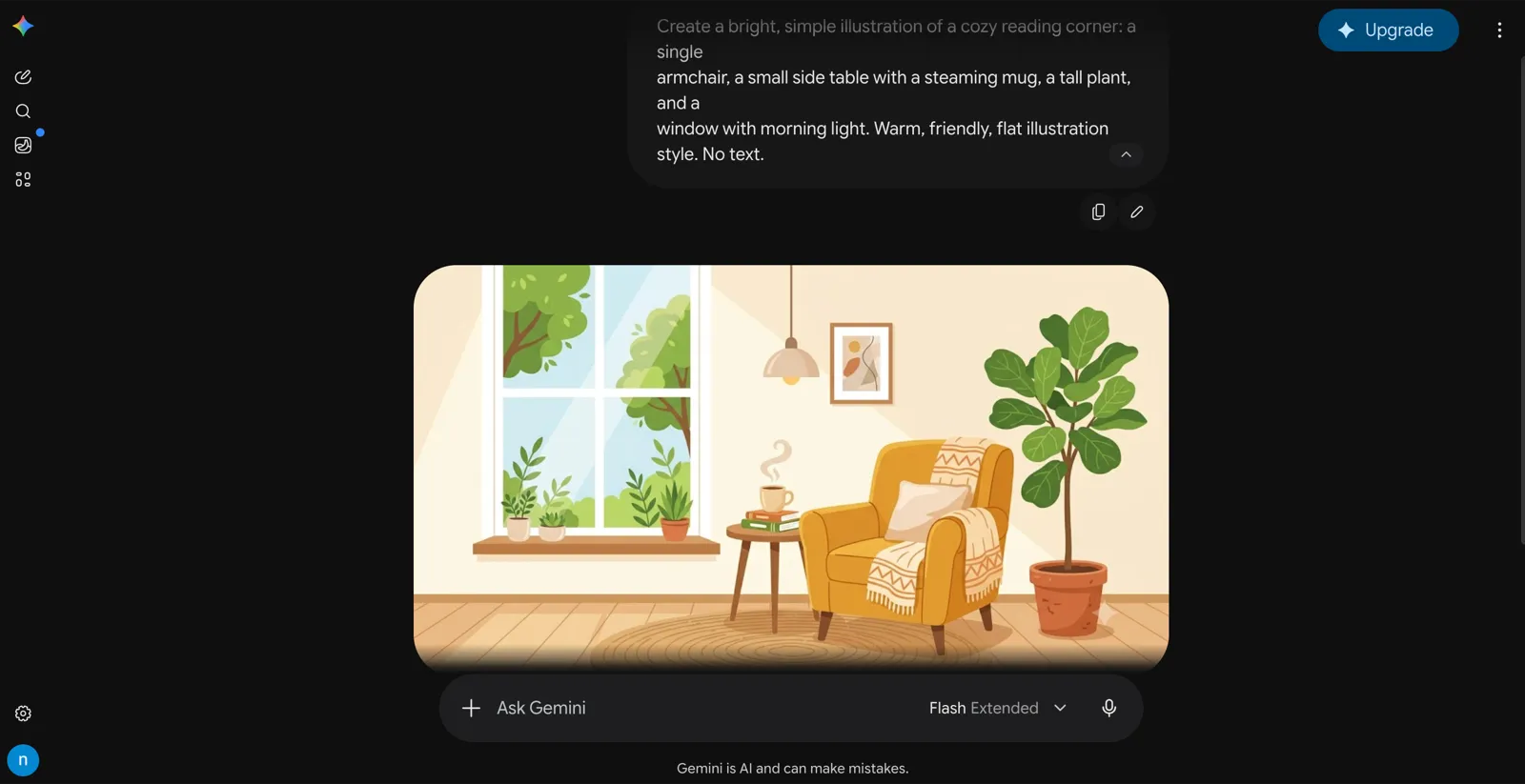
Pictures Gemini creates come marked as AI-made in two ways. On the free version, Google adds a small visible Gemini logo in the corner. Every image also carries a SynthID watermark, a mostly invisible tag that flags it as AI-made even after the logo is cropped off. It’s a quiet reminder that “is this real or AI?” is now a fair question to ask of any image.
Is Gemini free?
Yes — there’s a free version, and it’s enough for most people. You sign in with a Google account and start using it at no cost. The free tier does cap how often you can use the most advanced features each day.
Google also sells paid plans that lift those limits and unlock extra abilities. The exact names and prices have shifted over time, so check Google’s own pricing page for the current details before you pay for anything. The honest takeaway: try the free version first. Most beginners never hit its limits.
Wasn’t this called Bard?
It was. Google first launched its chatbot as Bard in 2023, then renamed it to Gemini in early 2024. Same idea, newer name. So if you read older articles mentioning Bard, they’re talking about what’s now called Gemini.
One thing to keep in mind
Gemini, like every AI chatbot, can sound completely confident and still be wrong. These tools predict likely-sounding text; they don’t look facts up in a reference book. They can invent a name, a date, or a source that seems real. This is called a hallucination, and it’s the single most important habit to build: check anything that matters before you rely on it.
That’s not a reason to avoid Gemini — it’s a reason to stay in charge. Let it draft, explain, and brainstorm, and you verify the things that count.
The bottom line
Gemini is a close rival to ChatGPT with one twist: it’s built to live inside the Google tools many people already use every day. It’s free to start with a Google account, so the easiest way to understand it is to open it and ask it something.
New to AI chatbots? Start with What is ChatGPT and how do you use it?
Frequently asked questions
What is Google Gemini in simple terms?
Google Gemini is Google's AI chatbot and assistant. You type or speak a question and it answers in plain language — explaining things, writing drafts, summarizing, and more. It's Google's answer to ChatGPT, and it used to be called Bard.
Is Google Gemini free?
Yes, there's a free version. You sign in with a Google account and can use it at no cost, with some daily limits on the most advanced features. Google also sells paid plans that raise those limits and add extras, but most people can get a lot done on the free tier.
What's the difference between Gemini and ChatGPT?
They do very similar things — both are AI chatbots you talk to in plain language. The main difference is the company behind them and what they connect to. Gemini is made by Google and ties into Google products like Search, Gmail, and Android, while ChatGPT is made by OpenAI.
What is Google Gemini used for?
Everyday help: answering questions, explaining things simply, drafting and summarizing text, turning a photo into an answer (like identifying a plant or decoding a form), planning trips and meals, practicing a language out loud with Gemini Live, and — if you connect your Google account — finding things buried in your own Gmail.
Is Gemini the same as Bard?
It's the same product, renamed. Google launched its chatbot as Bard in 2023, then rebranded it to Gemini in early 2024. If you remember Bard, Gemini is the newer name for that tool.
Can Gemini create images?
Yes. You describe a picture in words and Gemini generates one. There's no fine pixel-by-pixel editing, though — to change an image you usually describe it again and let Gemini try once more. Images it creates carry a mostly invisible SynthID watermark from Google that marks them as AI-made.
Can I talk to Gemini out loud?
Yes. Gemini has a voice mode called Gemini Live that lets you speak to it and hear it answer, instead of typing. It's handy for hands-free questions or for practicing a spoken language.