AI for students: what actually helps (and what to avoid)
Most of what’s written about AI and school is aimed at teachers, and it’s mostly about catching you. That leaves an obvious question unanswered: if you’re the student, what is this stuff actually good for?
The essentials:
- AI is genuinely useful for understanding material, practicing, and unsticking yourself. It’s bad at doing your thinking, and turning in its writing is plagiarism nearly everywhere.
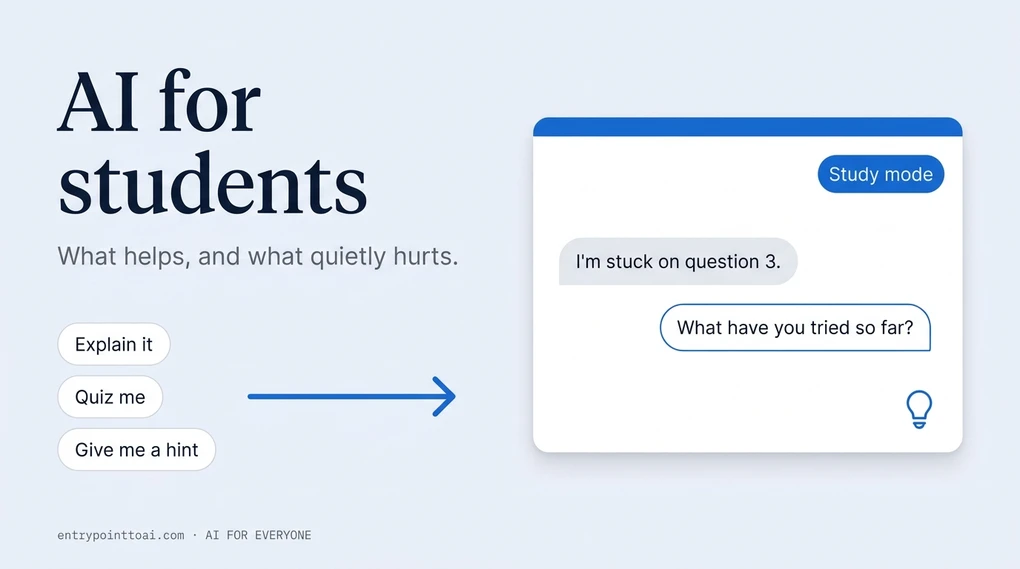
- Both ChatGPT and Gemini now have a study mode that asks you questions instead of handing over answers. Almost nobody turns it on.
- The risk that gets students in trouble isn’t only cheating. It’s finishing a chapter feeling like you learned it when nothing stuck.
How many students are actually using AI for schoolwork?
More than half, and you’re not unusual either way. The Pew Research Center surveyed 1,458 U.S. teens and published the results in February 2026: 54% said they’d used chatbots for help with schoolwork. Around four in ten had used one to research a topic or solve math problems, and 35% to edit something they’d written.
Two numbers from that survey are worth sitting with. About one in ten teens said they do all or most of their schoolwork with a chatbot’s help. And 45% said they’d never used one that way at all.
So the honest picture isn’t “everyone’s doing it.” It’s that a lot of students use AI for some things, a small group has handed over the whole job, and a big group hasn’t started. Where you land is a choice you get to make on purpose.
What is AI genuinely good at for studying?
The tasks where you stay the one doing the thinking. That’s the whole test, and it’s more useful than any list of allowed tools.
Explaining something you didn’t follow in class. This is the best thing about it. You can ask the same question four different ways, admit you’re lost, and ask for a simpler version, with no embarrassment and no office hours. Say “explain this like I’ve never seen it before, then again with an example.”
Quizzing you. Paste your notes and ask for ten practice questions, one at a time, with feedback after each. Being asked is what builds recall. Re-reading mostly builds the feeling of knowing.
Unsticking a problem without spoiling it. “I got to this step and I don’t know what to do next. Give me a hint, not the answer.”
Checking your understanding. Explain the concept to the AI in your own clumsy words and ask it to tell you what you got wrong. This is the single most underrated use, because it puts you in the active role.
Cleaning up your own writing. Your draft, your argument, its feedback. Ask what’s unclear and which paragraph is weakest. That’s editing, and it’s very different from asking it to write the thing.
| Helps you | Hurts you | |
|---|---|---|
| Reading | “Explain this paragraph in plain English” | “Summarize the book so I don’t have to read it” |
| Math | “Walk me through one example, then give me a similar one” | “Solve questions 1–20” |
| Essays | “Here’s my draft — what’s my weakest argument?” | “Write a 900-word essay on this” |
| Studying | “Quiz me on these notes, one question at a time” | “Make me a summary I’ll skim the night before” |
Notice the pattern in the right-hand column. Every one of those saves you time today and costs you the exam.

Is using AI for homework cheating?
Sometimes, and the boundary is less mysterious than it sounds: using AI to learn the material is fine almost everywhere, and turning in work it produced is plagiarism almost everywhere. Most of the confusion lives in the middle.
Your school’s policy is the one that decides, and policies vary a lot right now — between schools, and between two teachers in the same building. Read yours before you assume. If it’s vague, ask. “Can I use ChatGPT to explain the reading?” is a question no reasonable teacher minds answering, and asking it in advance is worth more than any argument you can make afterward.
One more reason to stay on the clear side of the line: AI-detection software is unreliable in both directions. It accuses students who wrote every word themselves, and it misses plenty of AI-written text. Human graders misfire too, often on punctuation: the em dash gets read as proof of AI and it isn’t. Useful to know if anyone ever points at yours. You don’t want to be arguing with a tool that can’t be argued with. Keep your drafts, your notes, and your version history. Being able to show how the work developed protects you far better than being careful about phrasing.
Students seem to know the landscape well. In that same Pew survey, 59% said cheating with AI happens at their school at least somewhat often.
The study mode almost nobody turns on
Here’s the practical part the advice articles skip. Both major chatbots now have a mode that refuses to just hand you the answer, and it’s off by default.
In ChatGPT it’s Study Mode. It asks what you already know, gives hints instead of solutions, explains in layers, and checks whether you actually followed. According to OpenAI’s own help page, it’s available on every plan, including the free one, on web, iPhone, and Android. To turn it on:
- Web: type
@studyin the message box and pick Study, or go straight tochatgpt.com/studymode. - iPhone: tap the + button and choose Study.
- Android: tap +, then find Study.
Google’s version is called Guided Learning and lives inside Gemini. Same idea: step-by-step support rather than a finished answer. If you’re weighing the two tools generally, we’ve compared ChatGPT and Gemini for beginners.
You can also upload the actual thing you’re stuck on — class notes, a worksheet, a photo of a math problem — and study against your own material instead of a generic explanation.
Give it your level and your specific sticking point, and it gets dramatically more useful. Compare “explain quadratics” with “I’m in Algebra 1 and I keep messing up factoring when the leading coefficient isn’t 1. Show me one worked example, then give me a similar one to try.” The second gets you a tutor. The first gets you a textbook. That’s a general rule with these tools, and we go deeper on it in how to write better prompts.
What does AI get wrong in schoolwork?
Enough that you should never submit anything it produced without checking it yourself.
It makes arithmetic errors in multi-step problems while presenting them with total confidence. It flattens nuance in subjects where the disagreement is the point — history, literature, philosophy. And it invents sources. A plausible author, a real-sounding journal, a page number, a paper that does not exist. Cite one of those in a bibliography and you’ve handed your teacher proof you didn’t open it.
That last one has a simple fix: never cite anything you haven’t opened yourself. If you can’t find the source, it isn’t a source.
The deeper problem is quieter. Reading a clear explanation feels like learning. It isn’t, quite. Understanding something while it’s in front of you and being able to produce it from memory under exam conditions are different skills, and AI is extremely good at giving you the first while you assume you’ve gotten the second. That’s why the “quiz me” habit matters more than the “explain it” habit, even though explaining feels better.
If you want the underlying reason these tools sound so sure of themselves even when they’re wrong, it’s worth understanding how AI actually works — it’s predicting plausible text, not looking things up.
One habit that keeps you in charge
Do the work first. Badly, partially, whatever you can manage. Then bring it to the AI.
Attempt the problem and get stuck, then ask for a hint. Write the messy draft, then ask what’s weak. Read the chapter, then ask about the part that confused you. The order is the whole thing: when you arrive with your own attempt, the AI sharpens your thinking. When you arrive empty, it replaces it.
That’s also, conveniently, the version that stays inside almost every school’s rules.
More everyday uses of AI: AI Everyday. If you’re just getting started, try what is ChatGPT and how to use it.
Frequently asked questions
Is using ChatGPT for homework cheating?
It depends entirely on what you ask it to do and what your school allows. Asking it to explain a concept you didn't follow in class is usually fine. Turning in text it wrote is plagiarism almost everywhere. The line sits between using it to learn the material and using it to avoid learning the material — but your teacher's policy is the one that actually counts, so read it before you assume.
What is study mode in ChatGPT and how do I turn it on?
Study Mode is a setting that makes ChatGPT teach instead of answer: it asks you questions, explains in steps, and checks whether you followed. On the web you type @study in the message box and pick Study, or go straight to chatgpt.com/studymode. On iPhone and Android, tap the + button and choose Study. It's available on all ChatGPT plans, including the free one. Gemini has a similar mode called Guided Learning.
Can teachers tell if you used AI?
Sometimes, and not reliably. AI-detection tools produce false accusations against students who wrote their own work, and they miss plenty of AI text too. That unreliability is a bad reason to gamble: an accusation is painful to fight even when you're innocent. The safer move is to keep your drafts and notes, so you can show your work.
Do AI chatbots get schoolwork wrong?
Yes, and confidently. They make arithmetic slips in multi-step math, and they sometimes invent sources — a real-sounding author, a real journal, a paper that doesn't exist. Never cite anything an AI gave you without opening the actual source yourself.
How many students actually use AI for schoolwork?
In a Pew Research Center survey of 1,458 U.S. teens published in February 2026, 54% said they had used chatbots to get help with schoolwork. About one in ten said they do all or most of their schoolwork with a chatbot's help, while 45% said they had never used one that way.