What does ChatGPT remember about you?
Ask ChatGPT what it knows about you and it will tell you something. What it won’t tell you is that the answer comes from more than one place, and only one of those places has a screen you can open.
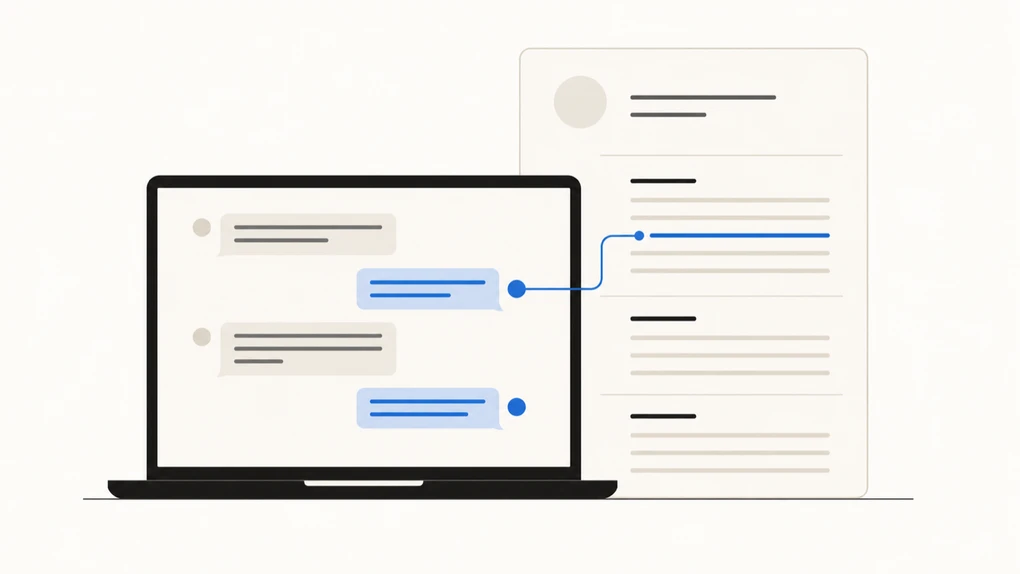
If you’ve searched this before, you were probably shown a tidy list of facts about you, deleted one by one, on a screen called “Manage memories.” That screen has been replaced. What’s there now is stranger and more revealing: a summary of you, written in full sentences, that you edit by talking to it.
The essentials:
- ChatGPT no longer keeps a simple list of what it remembers about you. It keeps a written profile, updated on its own, that you can read and correct.
- Deleting a chat doesn’t delete what ChatGPT wrote down from that chat. Those are two separate things.
- Temporary Chats are the one place memory doesn’t reach: they don’t use old memories and don’t create new ones.
What does ChatGPT actually remember about you?
It remembers whatever it decided was worth keeping, which is not the same as what you asked it to keep.
Memory is the feature that lets details from one conversation follow you into the next. Without it, every chat starts from zero. With it, the setup questions stop: it already knows you cook for two, or that you want answers short. Our other ChatGPT guides cover the rest of the basics.
It isn’t one bucket, though, and that’s the part worth knowing. Several different things feed ChatGPT’s sense of you, and they don’t behave the same way:
| Where it comes from | Can you see it? |
|---|---|
| The memory summary | Yes — it’s the main screen, and you can edit it |
| Custom instructions and the “About you” boxes | Yes — you typed them yourself |
| Older “saved memories” | Yes, but they’ve moved behind a small link |
| Whatever else it draws from your past chats | Not fully |
That last row is OpenAI’s own position, not our suspicion. Its help center says the summary doesn’t necessarily include everything, and that some details won’t appear there when ChatGPT decides they’re less relevant or not appropriate to show in that view. The page it gives you is a good view. It isn’t the whole file.
Where is the memory setting in ChatGPT?
On the web, here’s what we found in August 2026.
- Click your name or profile picture in the bottom-left corner.
- Click Personalization. On our account it sits in that menu on its own, next to Settings, and it’s also inside Settings, which is the route OpenAI’s help page gives. Both land in the same panel.
- Scroll to the bottom, past the style options and the About you boxes where you can set a nickname and your occupation. Memory is the last section.
There you’ll find a switch called Enable memory, described as letting ChatGPT personalize your experience based on your chats, files, and connected apps. Under it is Memory summary and a Manage button.
Two things on that screen are easy to scroll past and worth stopping on.
The first is a line in small grey text saying ChatGPT may use memory to personalize the queries it sends to search providers, such as Bing. When ChatGPT searches the web for you, what it knows about you can shape what gets typed into someone else’s search engine.
The second is a switch further up called Fast answers, which on our account carried a note that those replies aren’t personalized and don’t use your memory. We couldn’t find it described anywhere in OpenAI’s help pages, so it may not have reached every account yet. If you do have it, some of your answers are shaped by your profile and some aren’t, and nothing on screen tells you which one you just got.
We checked all of this in a browser. The apps may differ: OpenAI’s own help page says one of the memory controls is still rolling out on mobile.
What does the memory summary look like?
Press the Manage button in that Memory section and you don’t get a list. You get an essay.
It’s laid out under headings, written in the second person, describing what you’re like: the things you keep asking about, the way you prefer answers, the projects you keep returning to. At the top it tells you when it was last updated. At the bottom there’s a text box marked “Ask or update,” which is how you change it. You don’t tick and delete. You tell it what’s wrong.
Seeing it is a bit like finding out a colleague has been keeping notes on you. The notes are mostly accurate and mostly harmless. It’s the fact of them that lands.
If you preferred the old list, it’s still alive. There’s a faint link to your saved memories on that same screen, which opens the one-fact-at-a-time version that every older guide describes.
An independent analysis published in June 2026 gives a sense of what tends to end up in there. Kiran Garimella, a researcher who studies how people use these tools, looked at 12,112 memory entries from 766 people who donated their ChatGPT exports. Most were dull: preferences, projects, working habits. Two findings stuck with us. About one in seventeen memories contained identifying details about other people, not the user. And barely any had been requested — on his count, over 99% were written by the system on its own judgment. This was published on his own blog rather than in a peer-reviewed journal, so treat it as a careful first look rather than a settled number.
Does ChatGPT remember chats you’ve deleted?
Yes, in the way that matters most to people asking, and no in the way they fear.
Take the everyday version first. If you delete a conversation, a memory that was created from it can survive it. When OpenAI explains how to remove something for good, it lists your past chats and the memory summary as two separate places you’d have to clear, so deleting the chat only covers one of them. That’s the mechanism behind the unsettling moment when something you’re sure you erased turns up in a new conversation.
Now the version doing the rounds on social media, which needs a date attached. In 2025, a court in the copyright case brought by The New York Times ordered OpenAI to hold on to user logs, including deleted ones. That’s true, and it’s why you’ll still see posts claiming nothing you delete is ever really gone. OpenAI says that obligation ended on September 26, 2025, and that it went back to deleting removed conversations and Temporary Chats within 30 days. In that same October 2025 update, it said it was still holding a slice of data from April to September 2025, locked to a small audited team, and that as of then it hadn’t been turned over to anyone.
The case hasn’t gone away. In January 2026, Ars Technica reported that a judge upheld an order for OpenAI to produce 20 million conversations, stripped of identifying information, for the news organizations to search. It has kept moving since. In July 2026 those organizations asked the court to punish OpenAI, saying it had deleted logs it was meant to keep. Those are accusations, not findings, and nothing has been decided.
So the blunt claim that OpenAI must keep everything you delete forever is out of date. “Deleted” means gone from your account, and gone from their systems on a timer, unless a court says otherwise.
How do you delete what ChatGPT knows about you?
This is where most advice stops one step too early.
You can wipe the memory summary and switch memory off from the three-dot menu on that screen, where the option is spelled out in red. Doing it does not delete your chats. And if you turn memory back on later, ChatGPT can build new memories out of the conversations still sitting in your history.
For genuinely removing one fact, OpenAI’s guidance is more demanding than any single button. To fully delete something ChatGPT may know about you, it says, you need to delete every source where it appears: past chats, archived chats, files you’ve uploaded, the memory summary itself, and you need to disconnect any connected apps that hold it. One thing about you can be written in five places, and clearing one of them leaves the other four.
For a single conversation you’d rather not feed any of this, there’s a simpler tool. A Temporary Chat doesn’t use your existing memories and doesn’t create new ones. It’s the closest thing to speaking off the record, and it doesn’t cost you the personalization everywhere else. We went through the rest of the privacy switches in what happens to your data when you use AI tools.
Should you turn ChatGPT memory off?
For most people, no. Memory is the difference between an assistant that knows you and a stranger you brief from scratch every morning, and that’s a real gain.
But treat it as something that writes about you rather than something that stores what you told it. Read the summary once. Correct anything wrong, because a mistaken note doesn’t sit there quietly, it shapes the answers you get. Keep a Temporary Chat for the questions you’d rather leave no trace. And remember that other people show up in your memory file too: the friend whose situation you described, the coworker you asked how to handle. They never agreed to any of it.
If your answers have also been feeling flatter lately, memory is only one suspect: why ChatGPT feels worse than it used to covers the rest. And if you’re weighing up which of these tools to trust with what, is AI safe to use covers the wider question, and we’ve sorted the claims about AI that are out of date from the ones that were never true.
Frequently asked questions
How does ChatGPT know my name?
Three possible places. It may be the name on your account. It may be something you typed into the Nickname box under Personalization. Or memory picked it up because you mentioned it in a chat weeks ago and decided that was worth keeping. The quickest way to find out is to open the memory summary and read it, because that's the only one of the three that's invisible until you go looking.
Does ChatGPT remember things from other chats?
Yes, that's the whole point of memory. While it's switched on, details from past conversations can turn up in a brand new chat, which is why it stops asking you the same setup questions every time. It cuts both ways: something you mentioned while asking for dinner ideas can resurface later when you're asking about work. If you want a conversation walled off from all of that, use a Temporary Chat.
Does ChatGPT remember chats I deleted?
The chat goes, but a memory made from it can stay. When OpenAI explains how to remove something for good, it lists your past chats and the memory summary as two separate places you'd have to clear. Deleting the conversation only covers one of them. That's why a detail from a long-gone chat can reappear weeks later, and why clearing your history isn't the same as clearing what ChatGPT knows.
Do temporary chats create memories?
No. OpenAI says Temporary Chats don't use your existing memories and don't create new ones. They also stay out of your history. That makes them the closest thing ChatGPT has to an off switch you can use for a single question, without touching your settings or losing everything it already knows about you.